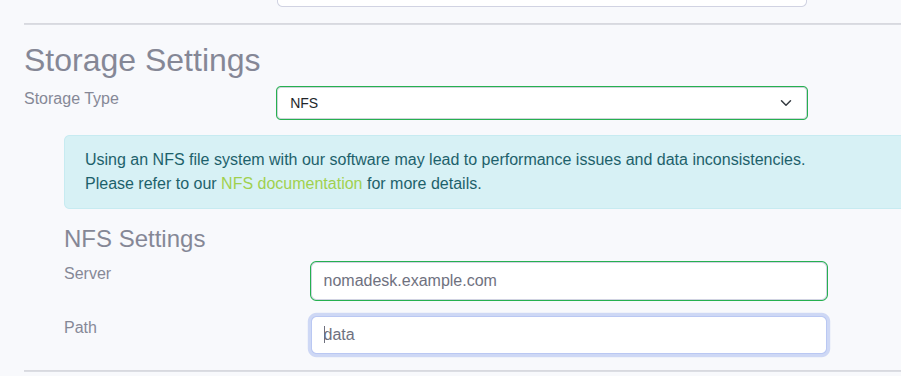
NFS
Many installations store their data on network file systems such as NFS-backed NAS appliances.
Nomadesk treats NFS like a locally attached file system and expects standard file system semantics.
If the NFS client or server does not behave like a normal local file system, reliability problems can occur.
For background, see NFS considered harmful.
Delayed (asynchronous) writes to the NFS server are a particular risk and can lead to data corruption.
If possible, mount the NFS file system synchronously to avoid this hazard.
Also, soft mounts are not recommended.
When using NFS as a storage backend, it is recommended to use at least NFSv3 and an external database so the database is not stored on NFS.
Storage Area Networks (SAN) usually use different protocols and may or may not be affected by the same hazards.
Consult the storage vendor's documentation for its data consistency guarantees.
Nomadesk cannot be more reliable than the file system it runs on.
Configuration
During installation, the dependencies step asks where Vault data should be stored.
Select NFS and provide the server IP address or DNS name and the exported path.