Object Storage
Nomadesk supports object storage as a backend for Vaults.
The storage platform must provide an S3-compatible API.
Nomadesk relies on bucket versioning, object locking, and lifecycle management to handle revisions, deleted objects, and locking correctly.
Required Configuration
Before connecting a bucket to Nomadesk, ensure the following features are enabled:
- S3 compatibility
- Versioning
- Object locking
- Lifecycle support
The lifecycle configuration must clean up old revisions and deleted objects after 31 days.
In S3 terms, this means expiring non-current object versions and deleted objects or delete markers after 31 days.
If the retention period in the admin portal is changed, update the lifecycle policy to remove those revisions and deleted objects after the configured number of days + 1.
For example, if the admin portal retention is set to 30 days, the object storage lifecycle should remove them after 31 days.
Supported Systems
The following platforms are known to be supported when the required feature set is enabled and configured correctly:
- EuDataVault (first party)
- MinIO
- Amazon S3
- Google Cloud Storage (GCP)
Other S3-compatible storage systems may also work if they provide the same feature set.
If you are unsure whether a storage platform is suitable, contact Nomadesk support.
Configuration
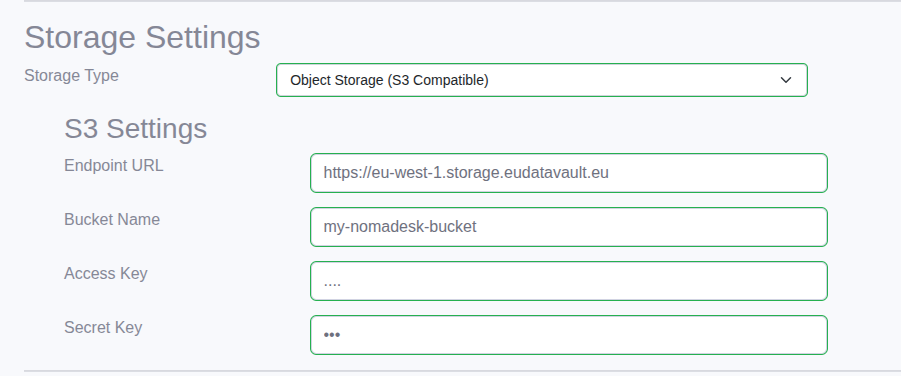
During installation, the dependencies step asks where Vault data should be stored.
Select Object Storage and provide the endpoint, bucket name, and credentials.