Firewall
Configure Port Forwarding for Nomadesk Ports
Expose the Nomadesk service ports on your whitesky.cloud in your port-forwarding so traffic reaches the VM (port list from the Nomadesk firewall rules).
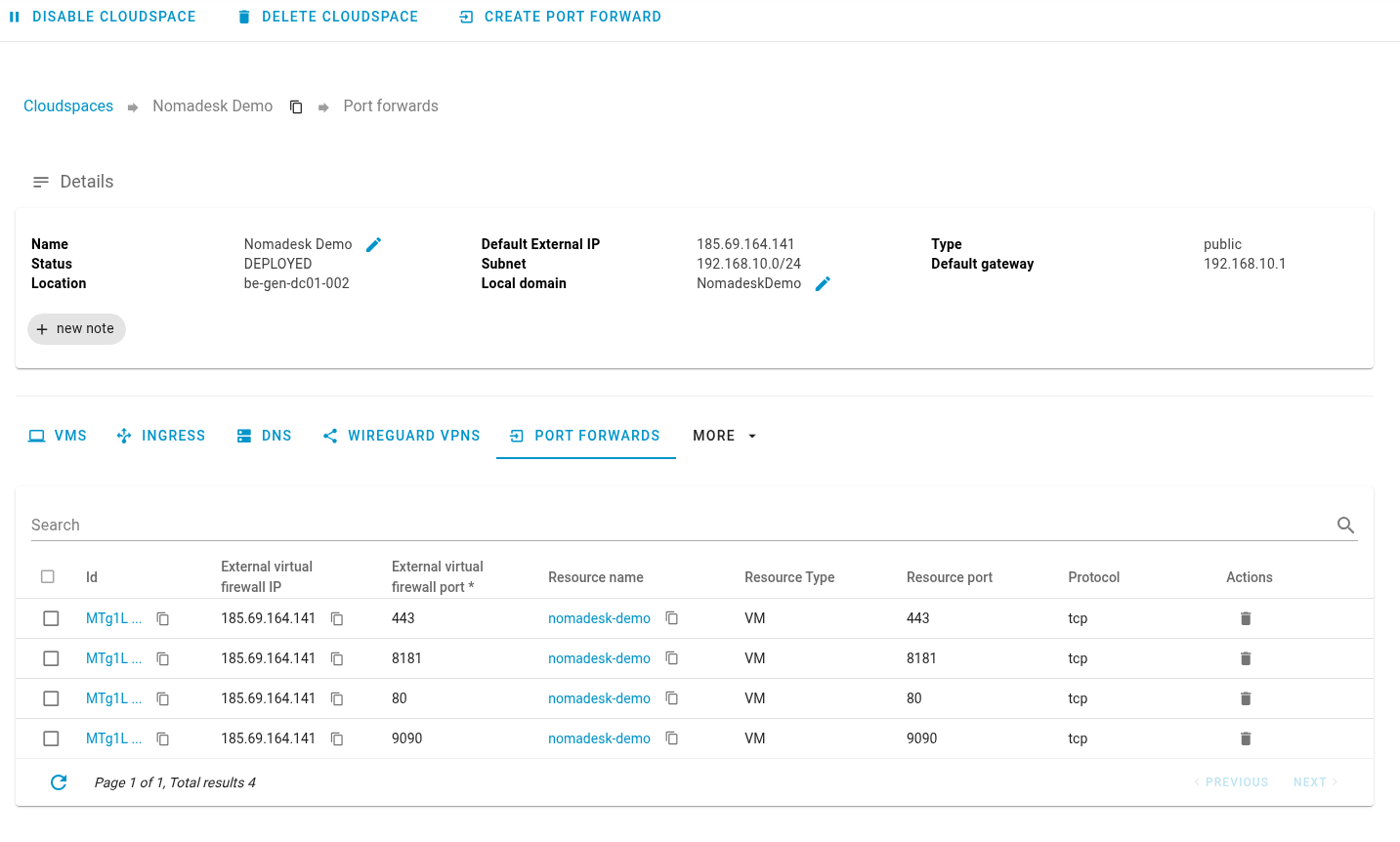
- In your CloudSpace, open the Port Forwards section and create forwards from the public IP to the Nomadesk VM’s private IP.
- Add rules for:
- 443/TCP: public HTTPS to the appliance
- 80/TCP(optional): port 80 will be redirected to 443 by the appliance
- 8181/TCP: Nomadesk installer, only needed for installation and management interface
- 9090/TCP(optional): Cockpit, management for the base operating system
- Apply/save the forwards
It is recommended to not have port 8181 and 9090 available from everywhere, these ports are only required during the installation procedure or when using the management interface.
Set extra firewall rules to only allow from certain IP addresses or remove from them after the installation has been completed.
For that, please refer to the official whitesky documentation