Prerequisites
Before you start, make sure you have:
- The Nomadesk ISO file from the Nomadesk Appliance downloads page.
- A Whitesky account with access to:
- A CloudSpace (or permission to create one).
- The ability to create and manage virtual machines.
- DNS management for the domain you want to use.
- A domain or subdomain you will point to the Nomadesk VM, e.g.
nomadesk.customer.try-dns.whitesky.cloud.
Upload the Nomadesk ISO File
- Log in to your whitesky.cloud portal
- Go to the section where you can manage images / ISO files for your location (documentation)
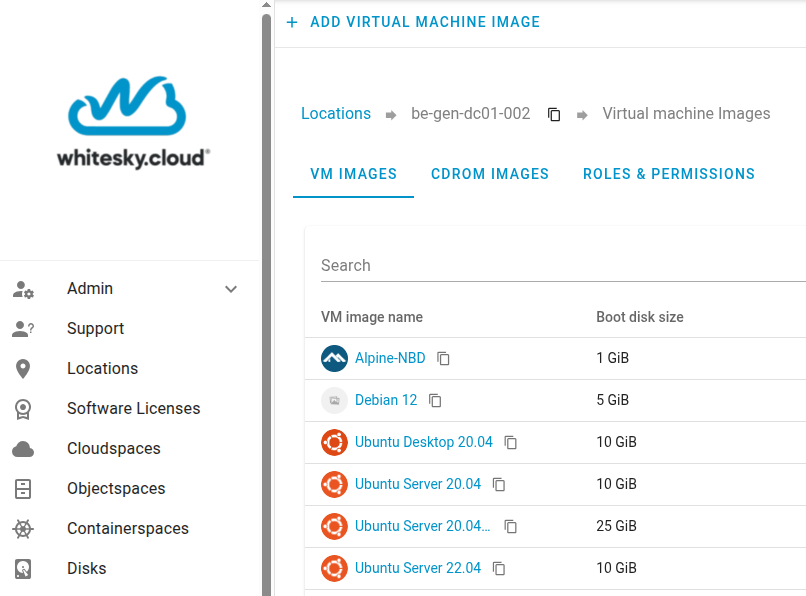
- Click
CDROM IMAGESand at the topADD CDROM IMAGE - Enter a name, the
OS typeLinux andOS nameRHEL 8 or higher and click next
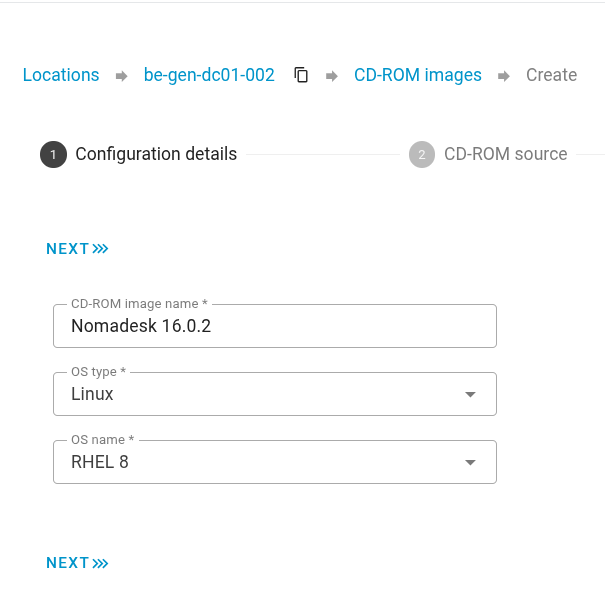
- Click
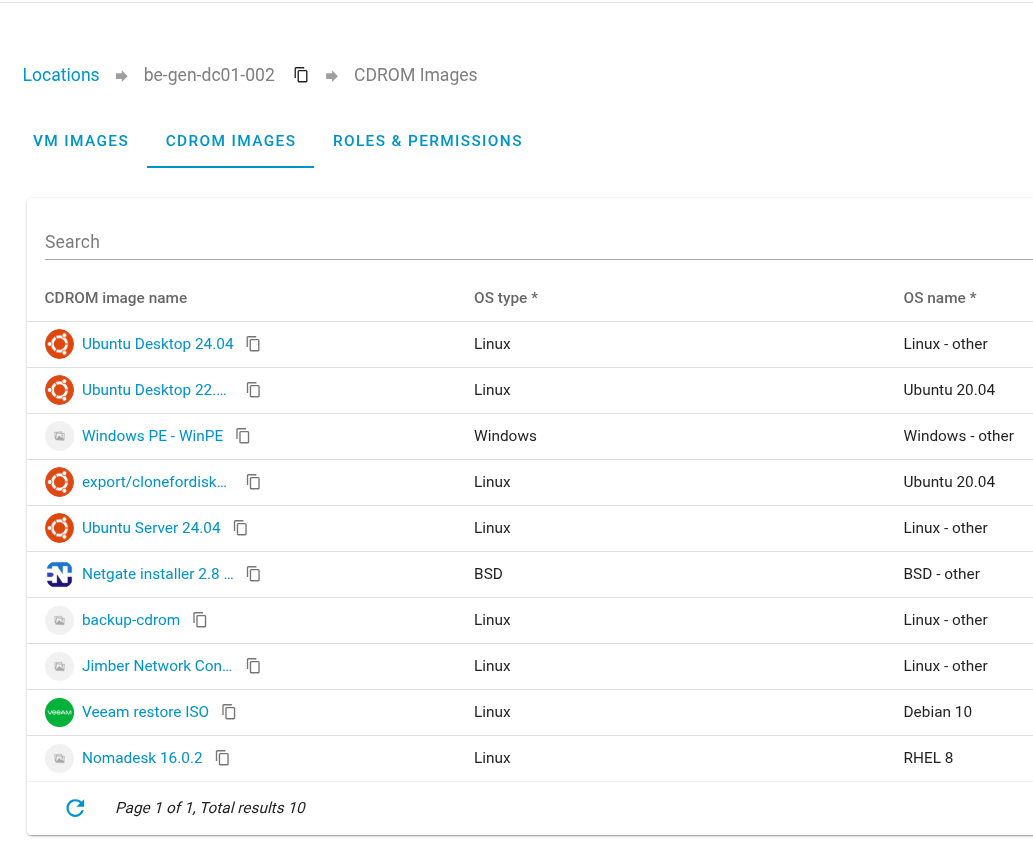
Upload CD-ROM from a local fileand select the ISO file downloaded in the previous step - Once the ISO file is uploaded it will be visible in your
CDROM IMAGESlist
To continue, go to create the virtual machine where you'll create the VM, attach the uploaded ISO and configure the resources needed to run Nomadesk.